



The short answer
Use H.265 on cameras that support it to save storage, most of all at 4K and long retention. Keep a lighter second stream for live tiles. Check that your software can show H.265 in a browser.
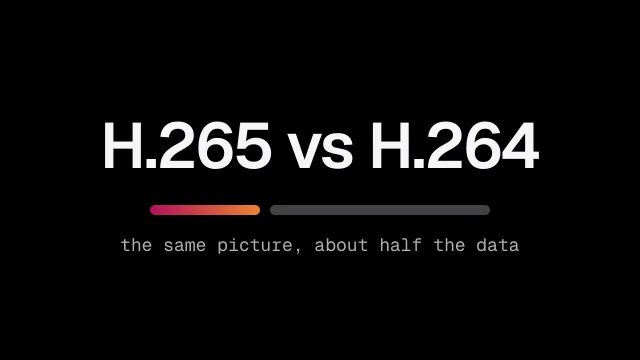
For most security cameras, H.265 is the better choice for recording, because it needs about half the storage of H.264 for the same picture. For the codecs themselves, read our full HEVC vs H.264 guide.
H.264 is still the codec every browser and player understands. So the right answer is often both: H.265 for the recordings you keep, and H.264 for the lighter stream you watch live.
Should you use H.264 or H.265?
Use H.265 where your cameras, recorders and software all support it. Keep H.264 where you need the video to play everywhere.
Use H.265 on security cameras that support it to save storage, most of all at 4K and long retention. At the same quality it needs about half the data of H.264, so the same disks hold more days of video. Keep a lighter second stream for live view tiles, and check your software can show H.265 in a browser.
Choose H.265 when:
- you record 4K or other high resolution cameras
- you keep footage for weeks, not days
- video travels over a slow link to a central control room
Keep H.264 when:
- an older recorder or VMS cannot decode H.265
- you often share clips with people who use any player
- a camera offers only H.264 on its second stream
If in doubt, switch one camera first. Compare a week of storage and a night of footage side by side, then decide for the rest.
Is H.265 better quality than H.264?
At the same bitrate, H.265 usually looks better. At the same quality, it needs about half the data. For a security camera, that means more days of recording on the same disks.
H.264 is still high quality when it has enough bitrate; it simply needs more data to get there. Which codec is best for quality? At a fixed budget of storage and bandwidth, H.265.
The saving is the reason H.265 exists. ITU members agreed the standard on 25 January 2013. The ITU said then that it would need only half the bit rate of H.264 (ITU press release). It was built jointly by the ITU and ISO/IEC video experts, the same partnership behind H.264.
Is H.264 the same as 4K? No. A codec is how the picture is compressed, and 4K is how many pixels it has. A 4K camera can record in either codec. H.265 simply needs fewer bits to store the same 4K picture, which is why the gap matters most at high resolution.
What about live view in the browser?
Not every browser plays H.265. When a browser needs H.264 from an H.265 camera, Visylix converts just that one stream on the server for live view. Video wall tiles use the camera's second, lighter stream.
Not every browser plays H.265. When a browser needs H.264 from an H.265 camera, Visylix converts just that one stream on the server for live view. Everything else passes through untouched. Video wall tiles use the camera's second, lighter stream, so a full wall stays smooth while recordings keep the full H.265 quality.
Converting one codec to another is called transcoding; transcoding vs encoding explains it.
Browser support has grown, but it is still uneven. Safari plays H.265. Chrome, Edge and Firefox play it only in some cases, mostly where the computer's graphics hardware can decode it (Can I use: HEVC).
On Windows, Edge also needs Microsoft's HEVC Video Extensions installed. That is why software should never assume a browser can show H.265. Visylix handles this for you, so operators get live view in any modern browser.
What is H.265+ on Hikvision cameras?
It is a maker's own mode that saves more space on quiet scenes. Test it on a night scene before you roll it out, and check that your recorder and software handle it.
Several makers offer modes like this under their own names. They save the most where little moves, such as a corridor at night, and the least on a busy street.
Each mode is the maker's own, so check three things before you switch a whole site. Recordings must play back and clips must export cleanly. Motion at night must still look sharp enough to use.
What is a good bitrate for H.265?
It depends on resolution, frame rate and the scene. Start with the camera maker's default and check a night scene. Video bitrate explained walks through the trade offs.
Use variable bitrate with a cap, so quiet scenes use little and busy ones still look sharp. Raise the cap if plates or faces blur at night. Lower it if the picture is fine but disks fill too fast. Then measure a real week of storage, not a calculator's estimate.
Is it worth converting H.264 to H.265?
Not for footage you already have. Converting old recordings takes a lot of processing and can lose detail. Switch new recordings on the camera instead.
Converting also breaks the link to the original file, which matters when footage is evidence. Keep originals exactly as recorded. Visylix exports evidence as a sealed player that anyone can check offline, so a court sees the footage as it was captured.
How do I know if my video is H.264 or H.265?
Check the video settings on the camera, or open a clip in a player such as VLC and look at its codec information. Visylix also shows the codec of each stream.
In VLC on Windows, open Tools, then Codec Information. On a Mac, open Window, then Media Information. ONVIF Profile T covers both H.264 and H.265, so software can read each stream's codec from a Profile T camera.
A simple setup that works
Record the main stream in H.265. Keep the sub stream in H.264 for live tiles. Check a busy scene and a night scene before you change every camera.
A simple setup works for most sites. Record the main stream in H.265. Keep the sub stream in H.264 for live tiles. Test a busy scene and a night scene before you change every camera, and check how much storage a week of video uses. Then roll the change out camera by camera.
Retention is set per camera in recording. For the wider family of protocols, see video streaming protocols. On a Visylix video wall of up to 6×6 tiles, each tile picks the main or the sub stream, so a full wall stays light.
Which one is better, HEVC or H.264?
HEVC saves space. H.264 plays everywhere. Our full HEVC vs H.264 guide covers the detail.
FAQ
Is 265 better quality than 264?
At the same bitrate it usually looks better, and at the same quality it uses about half the data.
What is a good bitrate for H.265?
It depends on resolution, frame rate and the scene. Start with the camera maker's default and check a night scene.
Which one is better, HEVC or H.264?
HEVC saves space. H.264 plays everywhere. Our full HEVC vs H.264 guide covers the detail.
How do you check if a camera streams H.264 or H.265?
Look at the stream settings on the camera's web page or in its ONVIF profile. Visylix shows the codec of each stream.
Is it worth converting H.264 to H.265?
Switch at the camera, not by converting recordings. Re-encoding old footage costs quality and processing.
Is H.264 the same as 4K?
No. H.264 is a codec, the way video is compressed. 4K is a resolution. A 4K camera can record in H.264 or H.265, and H.265 needs fewer bits for the same picture.
Is H.264 high quality?
Yes, when it has enough bitrate. It needs more data than H.265 for the same picture, so it fills disks faster.
Sources
This guide supports live view and streaming on the Visylix platform.