

The short answer
Pick software that works with the cameras and recorders you have. It should show rupee prices with GST and run on your own servers. It should work without the internet, and speak your operators' languages.
Video management software in India has to handle mixed camera brands, rupee pricing with GST, sites with weak internet and operators who speak many languages. This checklist is part of our video management system guide.
Each check gives the question to ask a vendor, why it matters on an Indian site, and what a good answer looks like. Take the list to every demo.
1. It works with the cameras you own
Most Indian sites run a mix of brands. Check for ONVIF support and ready device packs for the big camera makers. Ask whether the software can open footage on your existing recorders, such as CP Plus, Hikvision, Dahua, Sparsh or Godrej models.
Most Indian sites run a mix of camera brands. Check for ONVIF support and ready device packs for the big camera makers. Then ask whether the software can open footage on the recorders you own. Visylix opens footage on Hikvision, Dahua and Uniview recorders, plus CP Plus, Sparsh and Godrej models, so nothing is ripped out.
That matters on day one. If the software can read the old recorders, past footage stays searchable while the old boxes run out their retention, and you replace nothing that still works. See recording and recorder footage.
Ask for the device packs by brand, not just the word ONVIF. Visylix has packs for the top five camera brands, so PTZ presets, camera inputs and events work without manual setup. Bulk tools matter too: on a site with 300 cameras, changing a setting one camera at a time takes far too long.
2. Prices in rupees, with GST shown
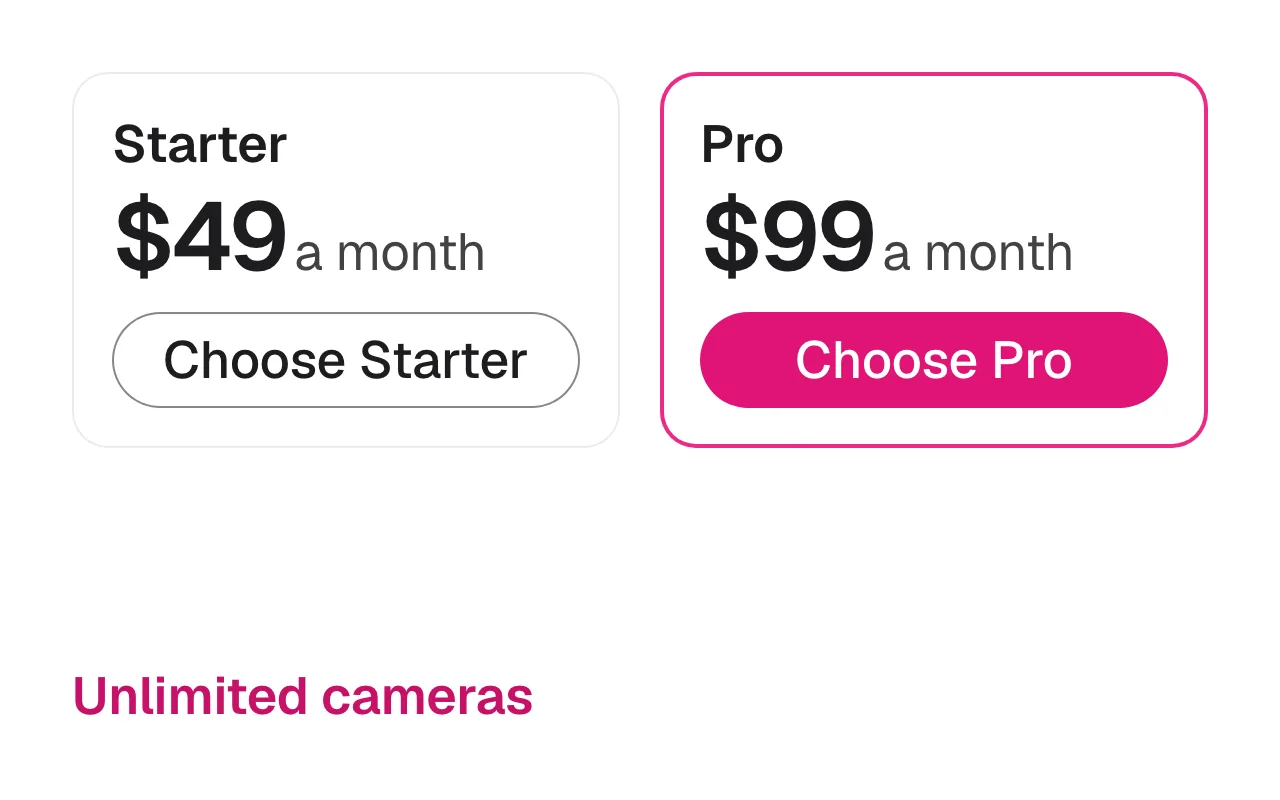
Ask for a rupee price and a clear GST line. Visylix Starter is ₹4,999 a month and Pro is ₹9,999 a month, plus GST. Both include unlimited cameras on the VMS licence. AI comes with Enterprise, on the cameras you choose.
Check how the price grows. A licence per camera or per channel climbs with every camera you add; a flat licence does not. Ask too whether the invoice carries the vendor's GSTIN, so your finance team can claim input credit.
How much does VMS software cost in India?
It depends on the licence model. Visylix Starter is ₹4,999 a month or ₹54,989 a year. Pro is ₹9,999 a month or ₹1,09,989 a year. Both are plus GST, with unlimited cameras on the VMS licence. Enterprise, which adds AI on the cameras you choose, is priced for each project. See pricing in rupees.
Looking for free VMS software for CCTV? The Visylix Trial is free for 7 days on one camera, with no credit card.
3. Your video stays on site
The Digital Personal Data Protection Act, 2023 asks organisations to take care of personal data. Video of people is personal data. Software that runs on your own servers keeps that footage under your control.
India's Digital Personal Data Protection Act, 2023 asks organisations to take care of personal data, and video of people is personal data. Software that runs on your own servers keeps that footage under your control. Visylix runs on your servers or in your own cloud account, and Enterprise can run with no internet at all.
Ask three questions. Where are recordings stored? Who at the vendor can reach them? Is every action logged? With Visylix on your own servers, footage never passes through Aptibit, and a tamper evident audit log keeps the record of who did what.
Sharing is where data most often leaks. Visylix can redact faces and plates on export, so a request gets only what it needs.
4. It works with no internet
Some sites have weak links or none at all. Look for an offline licence and offline updates.
Recording, live view and alerts should carry on when the link drops. On Enterprise, Visylix runs fully offline, with an offline licence and updates you carry in on approved media. See deployment options.
Remote sites also need software that looks after itself. Visylix recovers on its own from GPU, disk and recording faults. On Enterprise, missing footage is refilled automatically from the camera's own SD card.
5. It speaks your operators' languages
Visylix comes in 55 interface languages, including 13 Indian languages. Radha, its copilot, answers in English, Hindi and Hinglish.
A night guard should not have to read an English menu to acknowledge an alarm. Ask to see the interface in the languages your team actually uses. Look at an alarm screen too, not only the menus, because that is where seconds count.
Radha understands Hinglish, the mix of Hindi and English many control rooms use. A guard can ask a question the way they would say it to a colleague, and get the clip back.
Buying for government projects
Government buyers often need software that runs on their own servers, keeps data in India and works with no internet. Ask for a written list of what the product does, and see it run on your own cameras before you buy.
Keep the evaluation practical: a short pilot on a few real cameras, with the operators who will use it, tells you more than any brochure.
Write your must haves down before you shortlist. A typical list: on premise deployment, data that stays in India, offline operation, rupee pricing and support from a team in India. Ask each vendor to confirm every item in writing, and ask for a reference you can call from a site like yours.
For a system across many buildings, ask how alarms from every site reach one queue. Ask too how evidence is exported, so police and courts can check it for themselves.
6 to 10. AI, evidence, control room, support and trial
Check where the AI runs. Ask whether exports are sealed, so courts and police can check them. See how big the video wall gets and who sets it up on site. And try it on your own camera first.
6. AI that runs on your servers
Ask where the analytics run. If they run in a vendor's cloud, every camera's video has to leave the site. Visylix runs its 22 AI analytics on your own servers, on the cameras you choose. For gates and car parks, see ANPR software in India.
Ask whether you pay for AI on every camera or only where you need it. A gate camera needs number plate recognition, while a corridor camera may need none. In Visylix, each analytic also gets its own detection zones on each camera.
7. Evidence that holds up
Footage is only useful if nobody can question it. Visylix exports a sealed player that opens offline, so anyone can check that not one frame has changed.
Shared case links carry the recipient's name burned into the video. A leaked copy can then be traced back to the person it was sent to.
8. A control room that scales
See the video wall, maps and the alarm console on a demo. Visylix walls go up to 6×6, with floor plans, a site map and one queue for every alarm. Floor plans show each camera's live status and alarm badges, so an operator sees at once where the problem is.
On a busy night, alarm quality matters more than alarm count. On Enterprise, Sudarshan Triage checks the picture behind every serious alarm and can clear nuisance alarms itself, with every decision recorded.
9. Support on site
Ask who sets the system up and who you call at night. Enterprise includes on site setup, training and 40 hours of consulting, with 24×7 support and a named success manager. We reply within 24 hours.
Ask for support hours in writing, and the name of the person who will own your account. Ask what training covers, and how new staff get trained after launch.
10. Try it on your own camera first
A trial on your own camera beats any demo. The Visylix trial runs for seven days on one camera, with no credit card.
Use the week well. Connect your hardest camera, such as a gate at night. Check live view on the network your operators actually use, and export one clip to see how evidence leaves the system.
Which software is used for CCTV cameras?
Video management software, or VMS. It brings cameras into one place, records them and lets you search and share footage. Visylix adds AI that watches, decides and acts.
For a list of who builds this software in India, see video analytics companies in India.
What is e-surveillance?
E-surveillance means watching many sites remotely from one central monitoring centre. In India it is common for bank branches and ATMs. The checks above still apply, plus one more: alarms from every site should land in one queue. In Visylix, federation across sites and the alarm console give one view and one alarm queue.
Is it mandatory to show a CCTV notice?
Rules depend on the state and the setting. Many organisations put up clear signs as good practice. Check with your legal team for your site. A clear sign also tells people who to contact about the footage. For systems across a whole city, see smart city video surveillance.
FAQ
Which software is used for CCTV cameras?
Video management software, or VMS. It brings cameras into one place, records them and lets you search and share footage. Visylix adds AI that watches, decides and acts.
How much does VMS software cost in India?
It varies by vendor and licence model. Visylix is ₹4,999 a month for Starter and ₹9,999 for Pro, plus GST, with unlimited cameras on the VMS licence.
Is it mandatory to show a CCTV notice?
Rules depend on the state and the setting. Many organisations put up clear signs as good practice. Check with your legal team for your site.
What is e-surveillance?
Watching many sites remotely from one central monitoring centre, common for bank branches and ATMs in India. In Visylix, federation across sites and the alarm console give one view and one alarm queue across every site.
Sources
This guide supports pricing in rupees on the Visylix platform.